PPSSPP - PSP emulator
- 4.4
- Rating
- 100.00M
- Installs
- Free
- Price

 Analysis by App-foxy
I have spent time with PPSSPP as an Android action-game companion, and my main impression is simple: it is not a game in the usual sense, but a tool for running PSP games on a phone or tablet. That distinction matters before you install it. The app is free, developed by Henrik Rydgård, and aimed at people who already own or can legally access PSP game files. It does not replace the games themselves, yet it can make a portable PSP library feel much more convenient on modern hardware.
What makes it interesting is the amount of control it places between the original game and your device. You can adjust how the emulator renders a title, arrange touch controls, connect a physical controller, and experiment with options that are simply not available on an original PSP. In my experience, that flexibility is its greatest strength and also its biggest source of friction. A person who wants to tap once and start playing may find the setup less inviting than a normal mobile game.
What PPSSPP actually offers for free
The cost question is refreshingly clear: PPSSPP is free to download and use. There is no purchase price to weigh against the basic experience, so the real value depends on whether you already have compatible games and whether your Android device suits emulation. The app itself gives you access to the emulator, not a bundled catalog of PSP titles. You should therefore think of it as a player for your own legally obtained games rather than as a free collection of games.
You May Also Like

 Blood Strike: 2.5 Anniversary
Blood Strike’s Loadouts Turn Every Drop Into a Tactical Gamble
A close look at Blood Strike’s custom loadouts: how fast access to signature weapons reshapes its battle royale rhythm, rewards preparation, and narrows the gap between fights.

 Pandora - Music & Podcasts
Pandora’s Music Is Easy to Start, but Harder to Recover
Pandora’s strength is its low-effort path from a seed to a station. Its weak spot is how much confidence it asks you to place in connection, setup, and quiet recovery.

 8 Ball Pool
 Is Built on Rivalries, Rematches, and Routine
A close look at the rivalries, rematches, shared routines, and unanswered safety questions that turn a quick pool match into a persistent mobile community.

 Samsung Music
’s Quiet Strength Is Playing What You Already Own
Its reach comes less from spectacle than from dependable access to a personal library. That simplicity is both the app’s strongest retention engine and its ceiling.

 AccuWeather: Weather Radar
AccuWeather Review: A Quick, Clear Forecast for Everyday Decisions
For everyday plans, the best forecast is the one you can understand quickly. AccuWeather makes rain timing, radar, and local conditions easy to act on, with a few trade-offs.

 Hill Climb Racing
Why Hill Climb Racing Still Turns Crashes Into One More Run
A tiny car, a bumpy hill and one more upgrade: Hill Climb Racing keeps resurfacing because its simple chaos makes every near-miss feel personal.
More From Our News Desk



That difference also keeps expectations realistic. Installing it will not automatically give you a library of racing, fighting, role-playing, or action games. You need to manage your own game files and understand where they are stored on your device. For someone familiar with file management, this is a manageable step. For someone expecting the instant library of a conventional app store game, it can feel like an unnecessary barrier.
The app has been available since November 10, 2012, and its long presence helps explain why so many people recognize it. It currently appears as version v1.20.1-0-HEAD, supports Android from version 5.0 onward, and carries an Everyone content rating. Those details make it accessible to a broad range of Android users, although compatibility in practice still depends on the individual game, phone hardware, graphics drivers, and the settings you choose.
Its public reach is substantial: PPSSPP has passed 100 million installs, with an average rating of 4.3 from around 1.8 million ratings and roughly 30 thousand written reviews. I would not treat popularity as proof that every game will run perfectly, but it does show that this is an established emulator rather than an obscure experiment. The developer’s long-running work is visible in the app’s depth and in the number of options available to people willing to explore them.
The first setup is more practical than glamorous
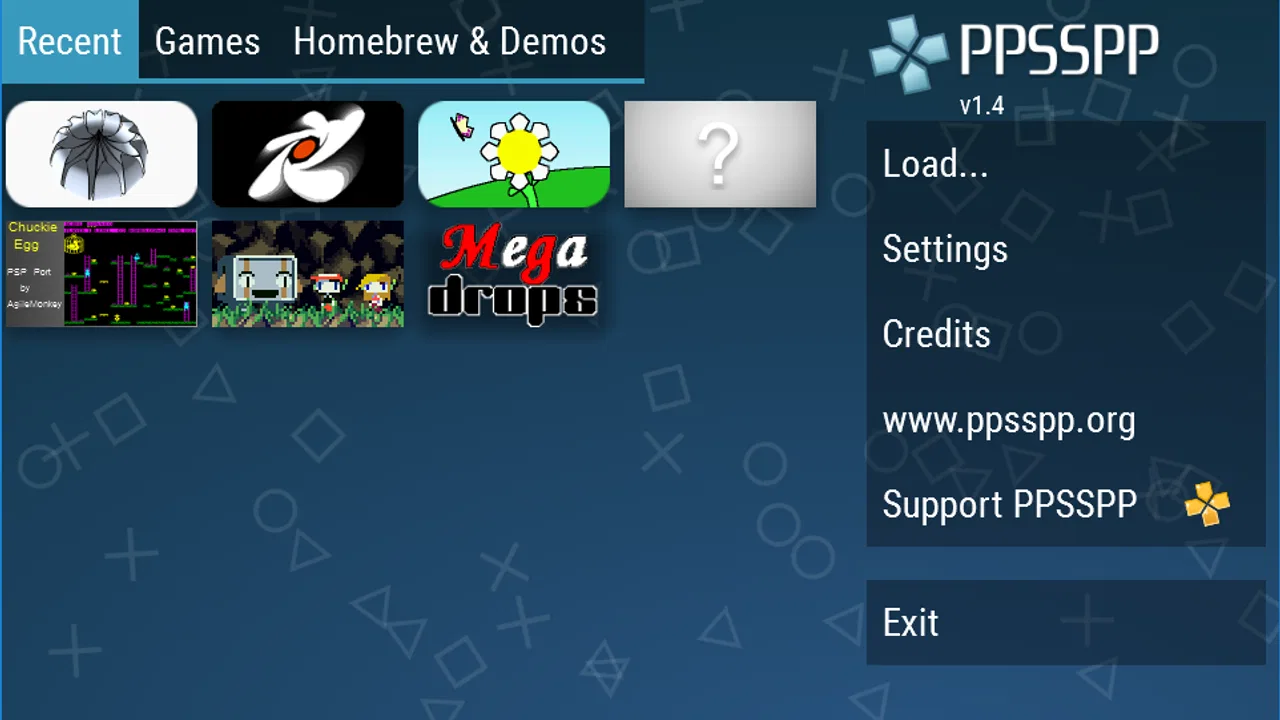
When I approach an emulator like this, I do not begin by changing every setting. I first install the app, locate the folder containing my game files, and let the library view become the starting point. Keeping game files in one clearly named folder makes later troubleshooting much easier. If a title does not appear, the problem is often the file location or format rather than the game itself.
Touch controls are available, which means you can play without carrying extra hardware. They are useful for testing a game or playing something that does not demand precise inputs, but they are not a perfect substitute for the original PSP controls. On a phone, your fingers can cover part of the screen, and fast action games may expose the limitations of virtual buttons. I strongly prefer a physical controller for long sessions, especially for games that rely on quick directional changes or repeated shoulder-button use.
One practical tip is to configure controls before judging performance. If the buttons are too close together, the experience may seem worse than it really is. PPSSPP lets you adjust the on-screen layout, so moving frequently used controls away from the edges or increasing their size can make a bigger difference than immediately raising visual settings. This is one of those small improvements that a store summary cannot communicate.
Why the visual options matter
The appeal of emulation is not only portability. PPSSPP can render PSP games at high definition and offers extra features beyond the original handheld experience. On a larger modern screen, the result can look cleaner and more comfortable than the same game viewed on the older device. Text may be easier to read, and the display can feel less cramped during longer sessions.
However, higher visual quality is not automatically better in every situation. Increasing rendering demands can make a game less stable on weaker or older phones. My preferred approach is to begin with moderate settings, test a demanding scene, and only then increase the resolution or other enhancements. If a game begins to stutter, lowering visual quality is usually more useful than repeatedly restarting it or blaming the game file.
This creates an important trade-off: the free app can deliver a more flexible presentation than original PSP hardware, but you are responsible for finding the balance. A powerful phone may let you enjoy a sharper image, while a budget device may provide a better experience with conservative settings. The app’s broad Android support does not mean identical performance across every device.
Save states, ordinary saves, and a safer routine
Emulators are often attractive because they can make older games easier to fit into modern routines. PPSSPP supports the kind of flexible progress management people expect from emulation, including quick snapshots of a session. I find this especially useful when I have only a few minutes: I can pause at a sensible point, preserve the current state, and return later without treating a short commute or waiting room as a full gaming session.
I still recommend using the game’s own save system whenever possible. A quick snapshot is convenient, but it should not be your only copy of progress. Keeping normal in-game saves as part of your routine reduces the risk of confusion when you change settings, move files, or switch devices. The best workflow is to use quick saves for convenience and regular saves for long-term progress.
This distinction is more important for role-playing games or lengthy action adventures than for a short arcade session. If you are testing several configurations, save before making major changes. That gives you a clean return point and makes experimentation less stressful. It is a simple habit, but it turns the emulator from a technical project into something much easier to live with.
Performance is a game-by-game decision
There is no single “PPSSPP experience” because each PSP game places different demands on the emulator. One title may run comfortably with enhanced visuals while another may need lower settings, different rendering choices, or more patience. I would not install the app assuming that a phone capable of running modern Android games will automatically handle every PSP title perfectly.
For everyday use, I judge performance in three stages. First, I check whether the game starts and recognizes its controls. Second, I play through an area with movement, effects, and sound rather than stopping at the title screen. Third, I decide whether the image quality is worth the extra load. This process avoids the common mistake of optimizing for a menu or quiet opening scene that does not represent real play.
Audio can also affect your impression. A game that looks sharp but has distracting sound problems is not a successful setup. When something feels wrong, change one option at a time instead of applying a long list of tweaks. That makes it possible to identify what helped and prevents a confusing mix of settings that is difficult to reproduce later.
A realistic day-to-day use case
Imagine that I am traveling with an Android phone and a compact controller. Before leaving home, I place my legally obtained PSP files in one folder, open PPSSPP, confirm the controls, and test a save. During a short break, I can continue a game without carrying the original handheld. If the screen feels too busy, I adjust the touch layout; if the phone warms up or performance dips, I reduce the visual settings instead of forcing the sharpest possible image.
That scenario shows where the app delivers real value. It is not merely about making old games look nicer. It combines portability, flexible controls, adjustable rendering, and convenient progress management in one place. The benefit is strongest for someone who already has a personal PSP collection and wants fewer devices in a daily bag.
It is less appealing for a person who wants a curated mobile experience with no file handling. A standard Android game usually offers simpler installation, controls designed for the phone, and support that is easier to understand. PPSSPP can be more capable, but capability comes with responsibility: you must organize files, configure controls, and accept that results vary between games.
Where it beats the usual alternatives
Compared with replaying PSP games on original hardware, PPSSPP offers a more convenient modern screen, adjustable controls, and the possibility of higher-definition rendering. It also removes the need to carry a separate handheld for every session. The original PSP still has a certain physical charm, though, and its controls are naturally shaped around the games. If you value authentic hardware feel more than convenience, the emulator may not replace it emotionally.
Compared with ordinary mobile action games, PPSSPP provides access to a different generation of design and a much broader range of control styles. You are not limited to games built around touch gestures or short portrait sessions. On the other hand, mobile games are usually easier to install and may fit casual play better. The better option depends on whether you want a ready-made phone game or a portable way to revisit a PSP library.
Compared with another PSP emulator, the meaningful comparison is not only speed. Look at how comfortably you can map controls, find your files, manage saves, and adjust rendering on your particular device. PPSSPP’s strength is its mature, detailed approach, but that same detail can make it feel busy. A simpler emulator may seem friendlier at first, while this one rewards users who want control over the experience.
Who will get the most from it
I would recommend PPSSPP to several specific groups. The first is a PSP owner who wants to continue playing without carrying the original console. The second is an Android gamer with a legally obtained library who enjoys adjusting settings and using a controller. The third is someone interested in revisiting older action games on a larger, clearer display rather than treating them as untouchable museum pieces.
It can also suit people who play in irregular bursts. Quick progress snapshots, adjustable touch controls, and the ability to use a phone already in your pocket make it practical for short sessions. The app is especially convincing when your routine involves travel, waiting, or moving between rooms and you do not want a separate handheld nearby.
I would tell a beginner to approach it with modest expectations. You do not need to understand every option on the first day, but you should be comfortable locating files and changing controls. Start with one game, keep the initial settings reasonable, and create a reliable save routine. Once that works, you can explore sharper rendering and other enhancements without turning the first session into a troubleshooting exercise.
Who should skip it
PPSSPP is not the right choice if you want a game rather than an emulator. The app does not remove the need to obtain and organize compatible titles, and that alone may make a conventional mobile game the better option. It is also a poor fit if you dislike virtual controls and do not have access to a physical controller for games that demand precision.
I would also hesitate to recommend it to someone using an older or modest Android device who expects every game to run at enhanced quality. The minimum operating system is Android 5.0, but meeting that requirement is only the starting point. Performance can still vary widely, and some users will get a smoother experience by accepting a less ambitious image or choosing a different way to play.
Finally, skip it if your priority is absolute simplicity. PPSSPP is approachable once configured, but it is not as frictionless as installing a normal action game, tapping its icon, and playing immediately. Its free price removes the financial risk, yet it does not remove the time needed to set up a personal library properly.
My verdict on its value
For a free emulator, PPSSPP offers unusually meaningful value because it improves access to an existing PSP library rather than asking you to buy into another closed game catalog. Its strongest benefits are practical: modern-device portability, high-definition rendering options, flexible controls, and save management that fits short sessions. Those advantages are substantial when they match your habits.
The limitations are equally clear. You need legally obtained game files, performance is not identical across titles or devices, touch controls can be awkward, and the settings require some learning. None of those issues makes the app poor; they simply define the kind of user who will enjoy it. This is a tool for people willing to participate in the setup, not a one-tap replacement for a normal mobile game.
My final recommendation is to try it if you already have PSP games and use Android 5.0 or later. Begin with one title, a moderate visual configuration, and carefully arranged controls. If that first test feels comfortable, the free download can become one of the most useful ways to keep a PSP collection accessible. If you have no library, dislike configuration, or only want instant touch-friendly action, I would skip it and choose a conventional mobile game instead.
PPSSPP is worth your time when convenience and control matter more than plug-and-play simplicity. Its value does not come from a purchase discount or a bundled catalog; it comes from turning hardware you already own into a more flexible way to play. That is a focused promise, but in my experience, it delivers it convincingly.
FAQs for PPSSPP - PSP emulator
01What is PPSSPP and what platforms does it support?
PPSSPP is a popular emulator that allows you to play PSP games on your Android or iOS device. It provides a high-definition gaming experience with enhanced graphics and faster gameplay. The app is compatible with Windows, macOS, Linux, Android, and iOS, making it accessible to a wide range of users.
02Is PPSSPP easy to set up and use for beginners?
Yes, PPSSPP is designed to be user-friendly, with a straightforward installation process. The app includes a comprehensive guide to help new users configure settings for optimal performance. However, some technical knowledge may be required for advanced features or troubleshooting specific issues.
03Are there any legal concerns with using PPSSPP?
Using PPSSPP is legal, but users must be cautious about the games they play. It’s important to own the original copies of any games you emulate, as downloading ROMs of games you don’t own is illegal in many regions. Always ensure you are complying with copyright laws.
04What are the system requirements for PPSSPP?
PPSSPP is relatively lightweight, but your device should meet certain specifications for smooth performance. For Android, a device with at least a dual-core CPU is recommended. On iOS, a recent version of the operating system and a capable processor will ensure better gameplay. Check the official site for detailed requirements.
05Does PPSSPP support multiplayer gaming?
Yes, PPSSPP supports multiplayer gaming through local wireless networking. However, it requires some configuration and is not as seamless as native PSP multiplayer. Users need to set up a local server and ensure all connected devices are on the same network to enjoy multiplayer features.
Pros
- High compatibility with PSP games.
- Customizable controls and settings.
- Supports HD resolution enhancements.
- Regular updates and bug fixes.
- Open-source and free to use.
Cons
- May require a powerful device.
- Some games have minor glitches.
- Not all games run at full speed.
- No built-in multiplayer support.
- Requires BIOS files for some games.

PPSSPP - PSP emulator
Gallery